**** Wordpress almost has about 200 to 300 themes for its users. Selecting the appropriate theme is quite important for our blog. These themes range from about $50 to $150. So, a wise investment is vital. Before you select and buy a theme just keep in mind a few things to check.
- Identifying the type of your website and selecting the category accordingly: - This is the very first step in selecting a good theme for your website. You first have to identify the type of your website whether it is an information website, a forum, or a website representing some kind of organization or a business or your own personal blog. There are some special themes for media sharing websites or shopping websites or be it a flash website. After identifying the appropriate type of your website, select the search criteria accordingly. Also, make a decision whether you need a high-end flash theme or a simple, less data consuming and faster loading theme. For example if you are going to select a flash website, you should be ready to face the consequences of slower loading time. In my opinion for a personal blog or some kind of an info website, you do not need a flash content; it is good to have a simple yet attractive website, which will also load faster.[](http://shirishkadam.com/wp-content/uploads/2013/11/caddpture.jpg)
- Selection of Columns and layout: - Most of the business websites or personal blogs need the columns. You can select Single column or double column according to your requirements. For example, if you have a personal blog it is good to go with single column as you do not need lots of external links or tabs…But if you have a business website then you might need the double columns, as you have to link up your website with lots of other websites and links. Select a proper layout of your website, for example, if you are thinking to monetize it then select the layout of the website wisely, that is, considering the placement of ads and other stuff. Also, do not select a layout, which will crowd a lot of things like widgets, ads, and links around the body of the theme. The layout should be responsive that is it should not have fixed width rather it should have a responsive width which resizes itself according to screen resolution or the browser requirements. If you have a media-sharing website then there are different layouts available to enhance the graphical interface and viewer experience. 
- Using a defining title image or [logo](http://www.legalzoom.com/intellectual-property-rights/trademarks/new-years-resolution-1): - Whenever someone visits your website they mostly identify your website with its unique and attractive logo…like we can now almost identify the typical colourful Google logo instantly or the blue coloured Facebook logo in small letters. Your unique and meaningful logo puts up a good impression on the user. However, do not make it too colourful or meaningless; to make it attractive, the logo should define the name of your website or its main theme…like twitter with the little bird! You can hire professional logo designers or you can make one yourself with the help of some [Adobe](http://www.adobe.com/) tools.
- English: Google Logo officially released on May 2010 (Photo credit: Wikipedia)*
- The Colour Scheme: - The most important aspect of design is its colours. Different colours trigger different moods in human beings. Bright colours attract the attention of the viewer. Therefore, to attract the attention of the users to the post obviously we need use bright colours for the background of the post. On its complementary, we should put up faint or light colours to the background so that it pulls the attraction of the user to the body of the post. However, do not use colours like dark red or green as the will make your website look like a spam website. So, it is important to maintain the relationship between colours.
- Selection of a decent font style: - Until today’s date, there are almost hundreds of font styles available. You are free to choose any of them unless the reader can read it comfortably. Avoid using too bold letters or too inclined letters as the put up a strain for many readers also; many of those fonts do not support the smart phones. In my opinion, its better to stick with some standard fonts, as they are comfortable to read to all users and that is the whole point. The font size needs to be carefully selected because selecting too small fonts will make big problem for readers or selecting too big fonts can end up using lots of the space of your website and you don’t want to make the reader to scroll down a lot…nobody likes it

- Checking the update interval and support team: - It is really good that your theme provider updates your theme often. Because it is important to keep up with the latest updates and styles or trends. So, make sure they give you proper theme updates also make sure they have maintenance cycles on your theme weekly.
- Plugin or Widgets support: - Make sure that the theme supports and is compatible to all kinds of security plugins and customization. If it fails to support, most of the important plugins that you might not want to have theme where you cannot put a cool and entertaining plugin. Note: Avoid use of bulky and unnecessary plugins.
- Compatibility for different browsers: - Having compatibility issues with different browsers does not give a good look to your website. Your website looks something with Google chrome and something else with Internet Explorer…this will leave your users annoyed.
- Suitable environment for video playing and flash content: - Be sure to check that the theme is compatible to at least a few of the popular video players or flash players on the internet.
- No broken links or code errors: - Imagine yourself browsing on a fine website and you find a good link attached to it and when you click on it, you discover it is broken or redirects to any spam or a useless website…that will annoy you more than anything, also it will put up a bad impression on your website. So make sure it does not have any broken links.
- Some existing Customers review: - Others mistake a lesson for you. Try reading the other user’s review about the theme and know more about it, if it has majority of positive reviews then you are good to go!
- A quick response team and good security options:- Whenever something goes wrong with your website you go nervous and try contacting the support team to solve the issue as soon as possible so that you website gets online quickly without disturbing you reputation. It is important to have a good support team at your disposal so that whenever something goes wrong they fix it ASAP.
- The Colour Scheme: - The most important aspect of design is its colours. Different colours trigger different moods in human beings. Bright colours attract the attention of the viewer. Therefore, to attract the attention of the users to the post obviously we need use bright colours for the background of the post. On its complementary, we should put up faint or light colours to the background so that it pulls the attraction of the user to the body of the post. However, do not use colours like dark red or green as the will make your website look like a spam website. So, it is important to maintain the relationship between colours.


Hope you consider these points before you buy the theme …Good luck with your shopping :) Comment below if you have something to add and share it with your friends so that they can buy the best theme for their website.
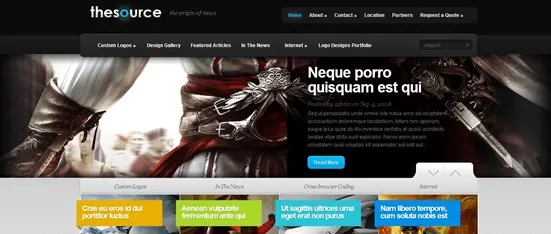
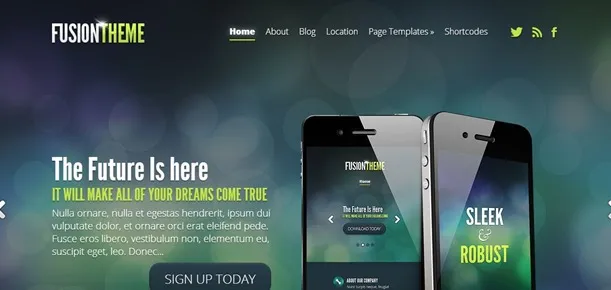
Note: - The screenshots of the themes are from Elegant Themes and are subjected to Copyright © 2013 ElegantThemes, Inc.™ To buy these themes visit Elegant Themes.