
In the last blog post on Setting Up Electron Framework for Desktop Apps, we talked about Electron framework and its installation, we also tried a “Hello World” example in Electron. This post will a short one and will help you to configure Electron in an IDE - IntelliJ IDEA 2016.
Let’s get started with our configuration, first thing is making sure you are using JavaScript ECMAScript 6. Go to File > Settings > Languages and Frameworks > JavaScript and select ECMAScript 6. Now we need to install the JavaScript library for Electron called github-electron-DefinitelyTyped. This can be done by heading over to,
File > Settings > Languages and Frameworks > JavaScript > Libraries > (Select) Download.
After all the libraries are loaded search for **github-electron-DefinitelyTyped ** and download and install it. After that check / select that library.
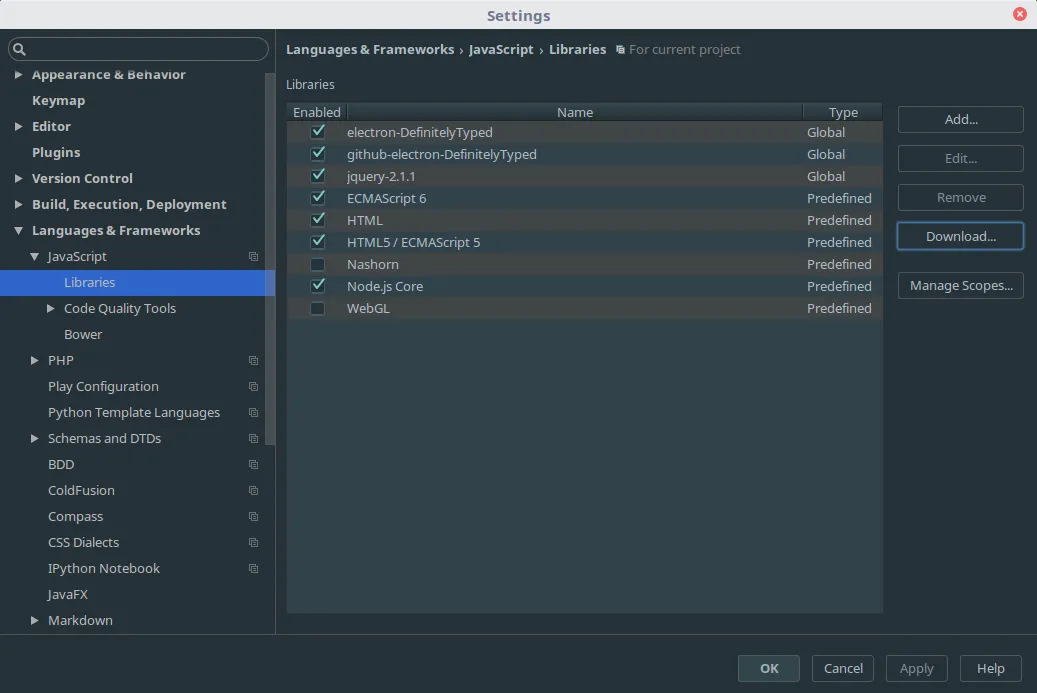
To enable “Coding Assistance” go to File > Settings > Languages and Frameworks > Node.js and NPM > Enable the Coding Assistance for Node.js Core Library.
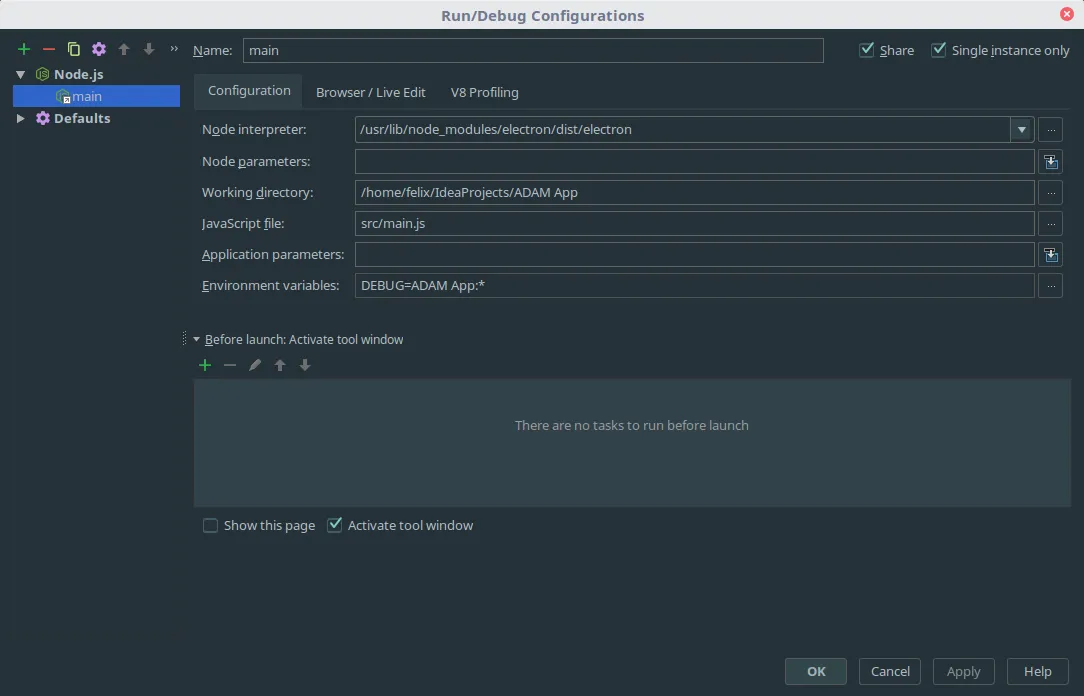
Run/Debug Configuration:
Select a Node.js run configuration. In the Node interpreter, give the path to the Electron executable. Also, in JavaScript file field give the path your main JavaScript file in the project and save this configuration and Run.
Here’s a great Material Design desktop app I made with Electron Framework. In case you are wondering, I used Material Design Lite library for Material Design components.
[Gallery]
Fork this app on Github:
Read my other post on Setting Up Electron Framework for Desktop Apps. Download the best IDE in town here at JetBrains IntelliJ IDEA.